
Qatar Visa Check 2026: MOI & QVC Status Verification
Applied for a Qatar visa and stuck refreshing your email for an update? A proper Qatar visa check takes under two minutes once you know which official platform to use, and which one depends entirely on your visa type and where you applied from. This guide covers both government-recognised methods, the Ministry of Interior portal and the Qatar Visa Center, exactly as they work in 2026, along with what each status message actually means and what to do next.
Two Official Ways to Check Your Qatar Visa Status
Qatar doesn’t run a single universal visa-check tool, it runs two, and using the wrong one is the most common reason people see a blank or “not found” result.
The Ministry of Interior (MOI) portal: The primary system for anyone checking a work, visit, family, business, or tourist visa, regardless of nationality. This is also where you go if you want to know how to verify Qatar visa online using nothing but your passport number.
The Qatar Visa Center (QVC): The secondary, but equally official, channel, and it’s specifically built for residence visa applicants from six countries: Bangladesh, India, Nepal, Pakistan, the Philippines, and Sri Lanka. If you applied for a work or residence visa through a QVC in one of these countries, checking your status there often gives you more granular detail on which processing stage you’re at, since QVC handles the biometric and medical-clearance steps before MOI’s final approval.
Both platforms are free to use and pull from the same underlying government records, they simply present different levels of detail depending on your application type.
What You’ll Need Before You Start
Before doing a Qatar visa status check, have these details ready:
- Your passport number, exactly as it appears on your passport
- Your visa number, if you have one (15 digits for MOI applications), though a passport number alone is often enough
- Your nationality, selected from a dropdown, choosing the wrong one is the single most common cause of “record not found” errors
- If checking through QVC, your file reference number, if one was issued during your application
Qatar Visa Check: MOI Portal vs. QVC at a Glance
Step-by-Step: How to Check Your Qatar Visa Status Online
Method 1: Through the MOI Portal
This is the right method if you’re asking how to check qatar visa status online for a work, visit, family, or tourist visa of any nationality.
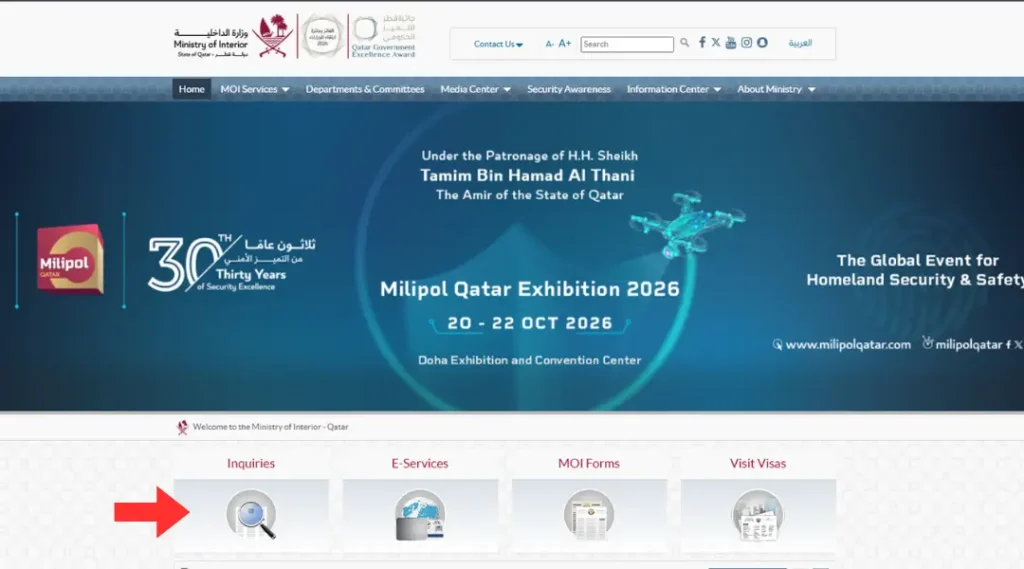
Go to the MOI homepage at portal.moi.gov.qa, rather than clicking the first result on a general search. Several unofficial lookalike sites rank highly for this exact query and add nothing to the process, some even ask you to enter your details on their own site first. On the homepage, look for the row of icons below the main banner and click “Inquiries,” marked with a magnifying glass icon.
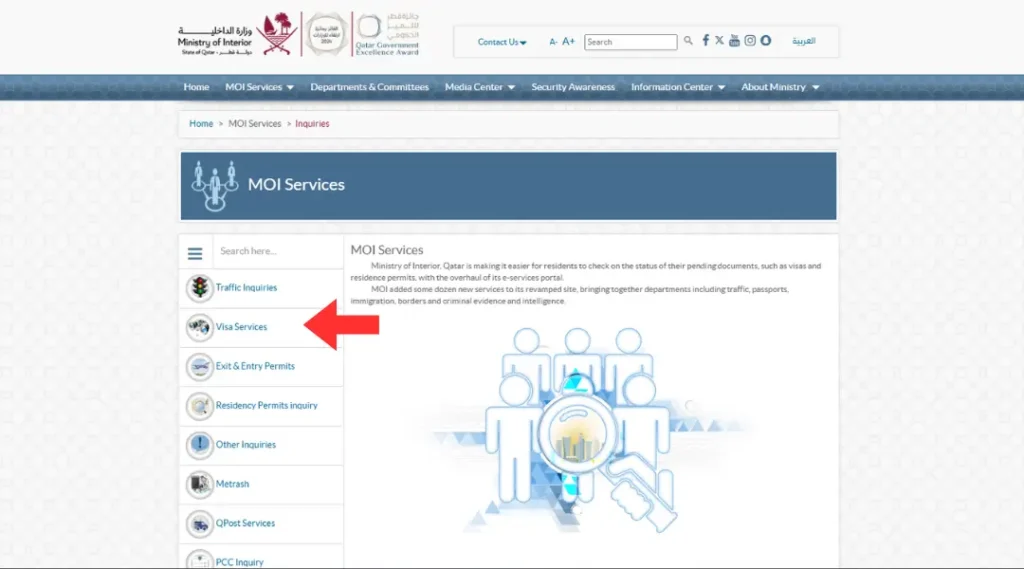
Select “Visa Services” from the left-hand menu. On the Inquiries page, a sidebar lists several categories, Traffic Inquiries, Visa Services, Exit & Entry Permits, Residency Permits Inquiry, Metrash, and others. Click Visa Services specifically, this is the category that covers visa status checks.
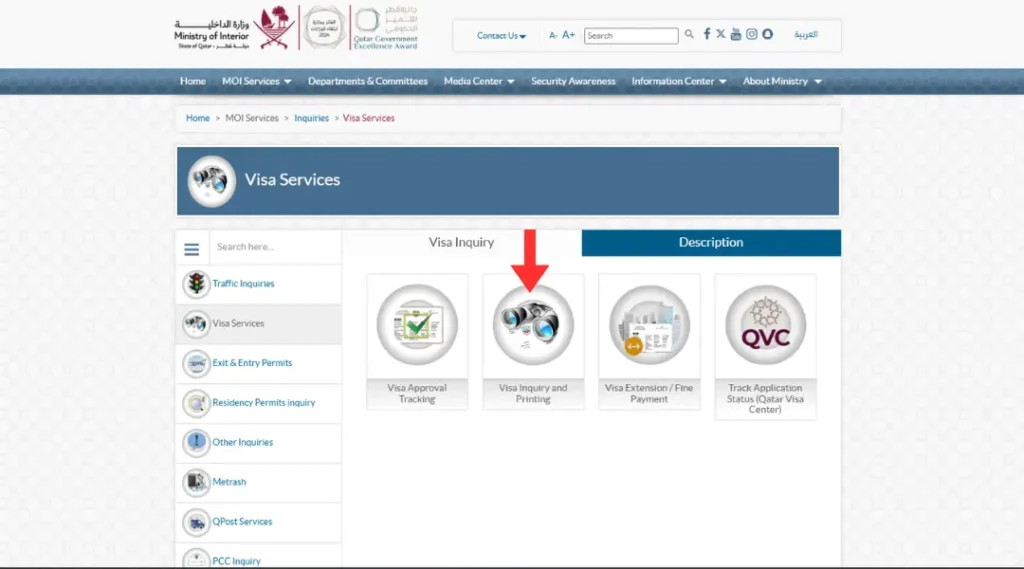
Click “Visa Inquiry and Printing” from the four options displayed on this page: Visa Approval Tracking, Visa Inquiry and Printing, Visa Extension/Fine Payment, and Track Application Status (Qatar Visa Center). Visa Inquiry and Printing is the one that shows your current status and lets you print an approved visa.
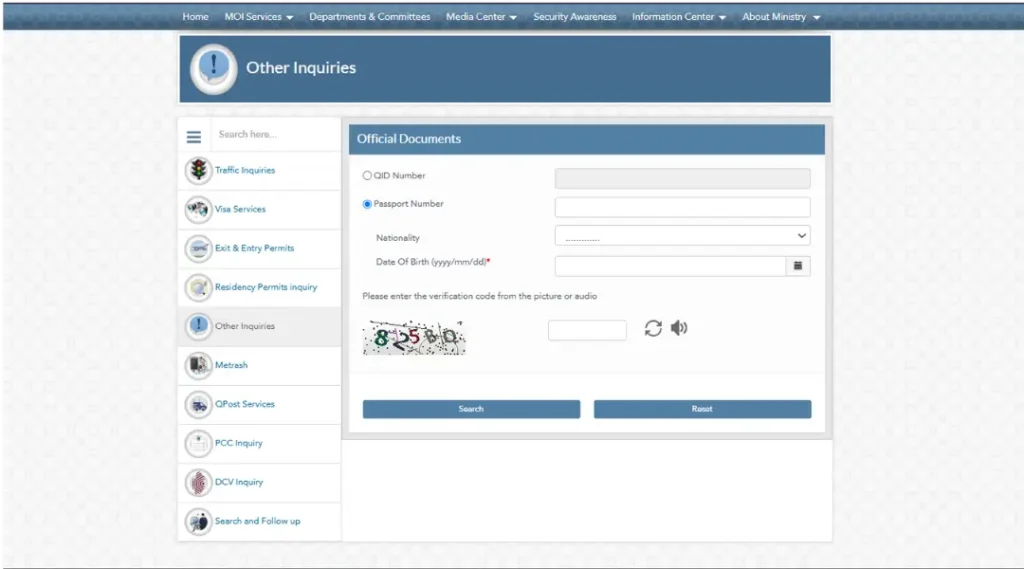
Fill in the Official Documents form. This opens a short form, and missing any field here is the most common reason people get stuck at this step:
Choose either QID Number (if you already hold a Qatar ID) or Passport Number using the radio button, then enter the number in the field that becomes active.
- Select your Nationality from the dropdown list. Double-check this carefully, choosing the wrong nationality is the single most frequent reason a genuine application comes back as “not found.”
- Enter your Date of Birth in the exact yyyy/mm/dd format shown next to the field, this is a required field marked with a red asterisk, and the search won’t proceed without it.
- Enter the verification code shown in the distorted image, or click the small speaker icon next to it to hear the code read aloud instead, useful if the image is hard to read.
Click “Search.” If you need to start over, the “Reset” button next to it clears the form completely.
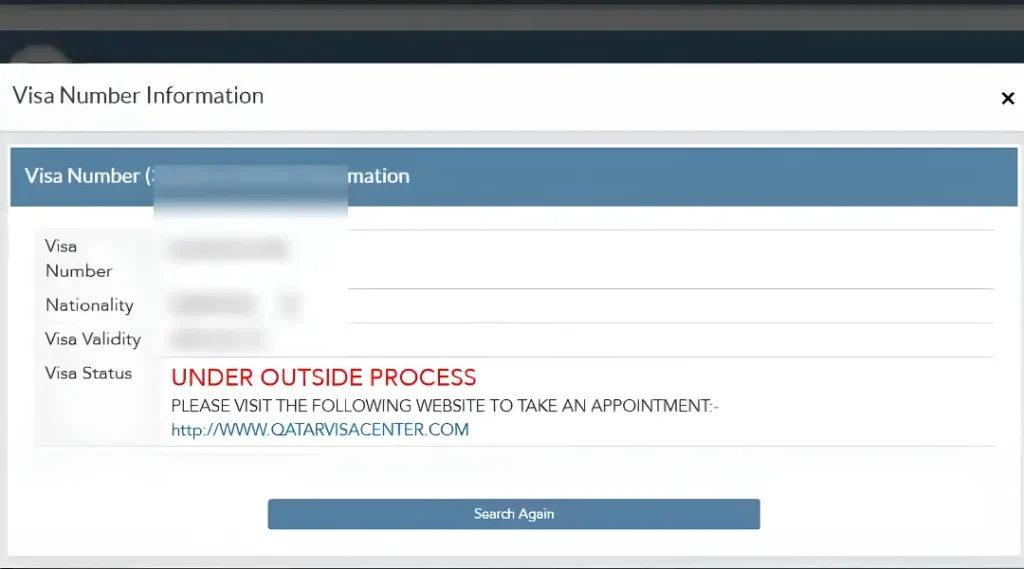
Read your result in the pop-up window that appears. It displays your Visa Number, Nationality, Visa Validity, and Visa Status. The status line matters most: an approved visa shows clear validity dates, while a status reading “UNDER OUTSIDE PROCESS” specifically means your application is being handled through the Qatar Visa Center rather than directly by MOI, the same screen tells you to visit qatarvisacenter.com to book an appointment in that case, rather than waiting on the MOI side for further movement.
Print or download your visa if it shows as approved and valid. No office visit is required, the printable version is accessible directly from the same results screen once your status confirms approval.
Method 2: Through the Qatar Visa Center (For Six Specific Countries)
Use this method if you applied for a residence visa through a Qatar Visa Center in Bangladesh, India, Nepal, Pakistan, the Philippines, or Sri Lanka, or if your MOI search in Method 1 returned an “Under Outside Process” status pointing you here instead.
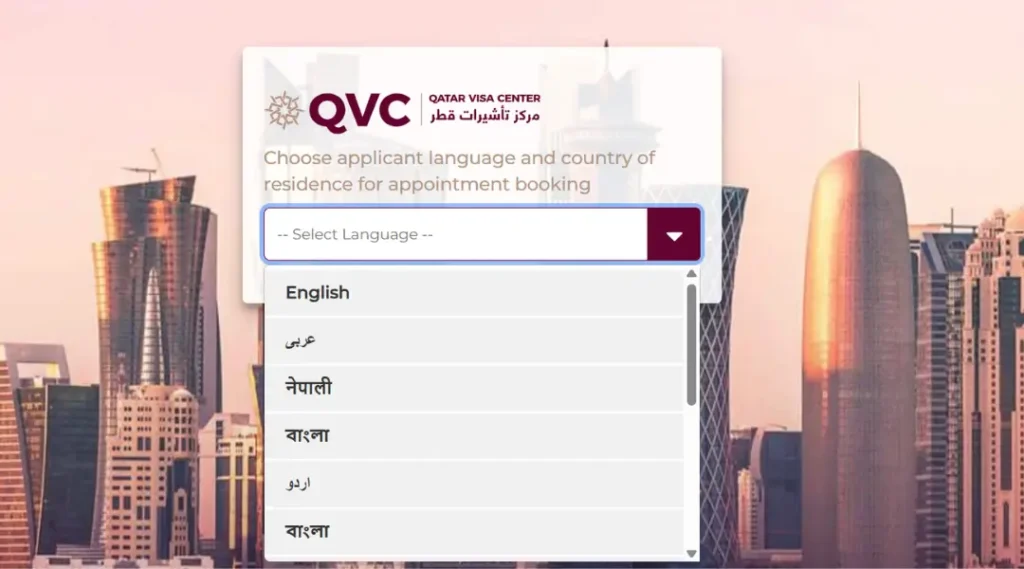
Go to the official Qatar Visa Center website, qatarvisacenter.com. On your first visit, you’ll be asked to select your applicant language from a dropdown, options include English, Arabic, Nepali, Bengali, and Urdu, along with several other regional languages further down the list, so you can complete the rest of the process in whichever language you’re most comfortable with.
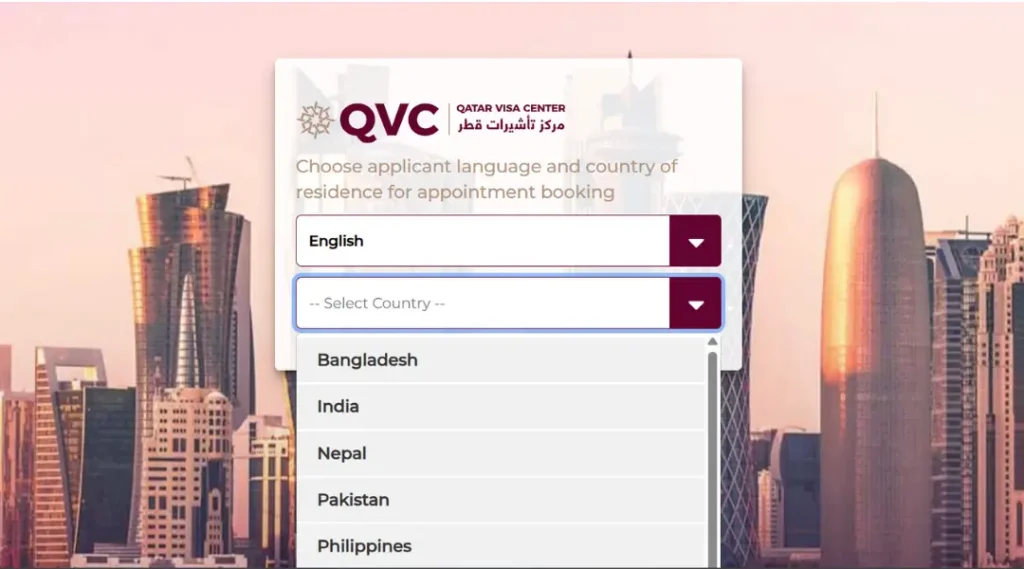
Select your country of residence from the second dropdown on the same screen, choosing from Bangladesh, India, Nepal, Pakistan, Philippines, and Sri Lanka. This routes you to that country’s dedicated QVC site, the page header updates to confirm your selection, for example showing “Pakistan – English,” so you know you’re in the right place.
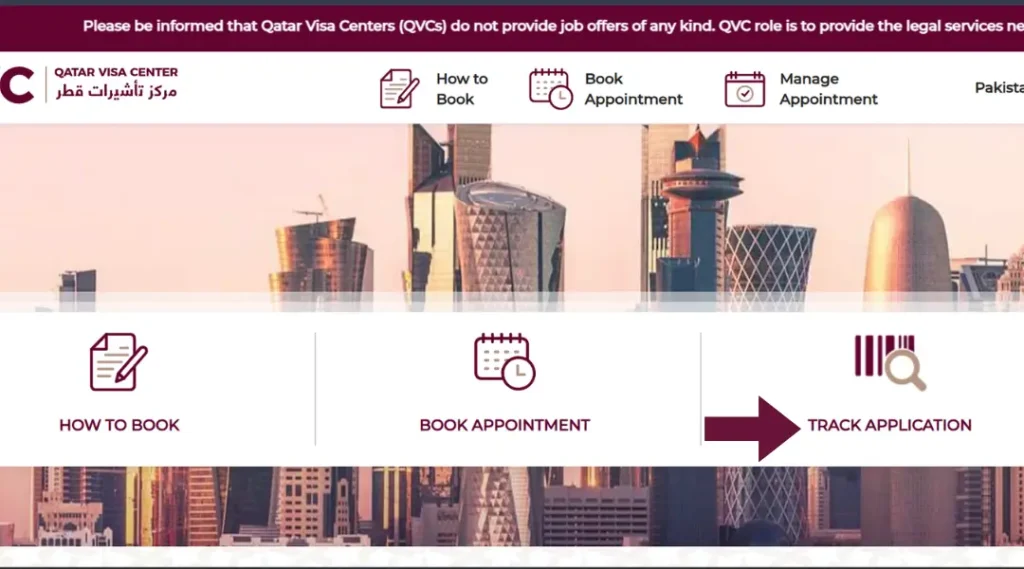
Click “Track Application” from the three main icons on the country site’s homepage: How to Book, Book Appointment, and Track Application. Track Application is the one you want for a status check, the other two relate to booking a fresh appointment rather than checking an existing file.
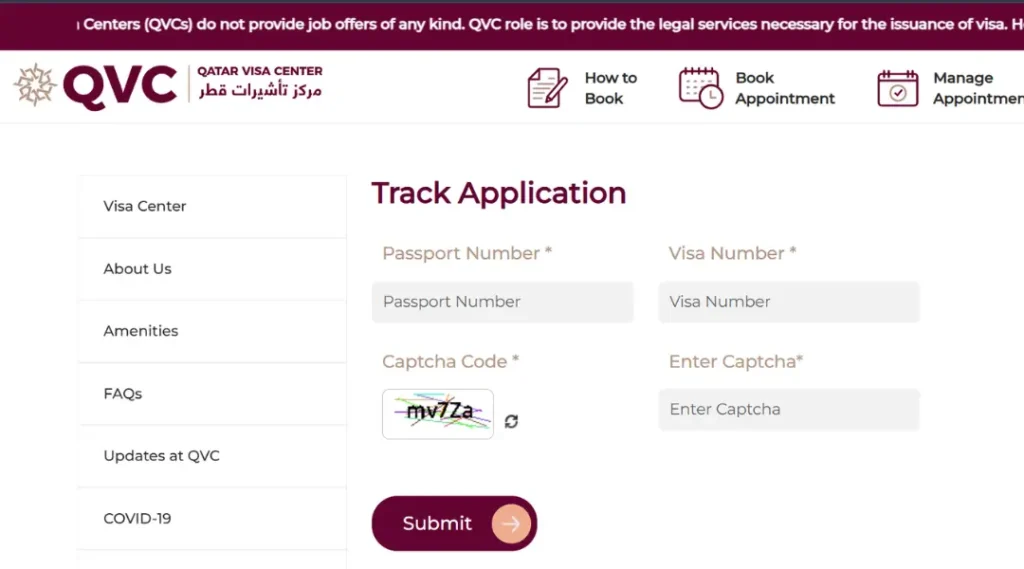
Enter your Passport Number and Visa Number in the two fields provided, then type the Captcha Code exactly as shown in the image above the entry box, refreshing it if the characters aren’t clear. Click “Submit.”
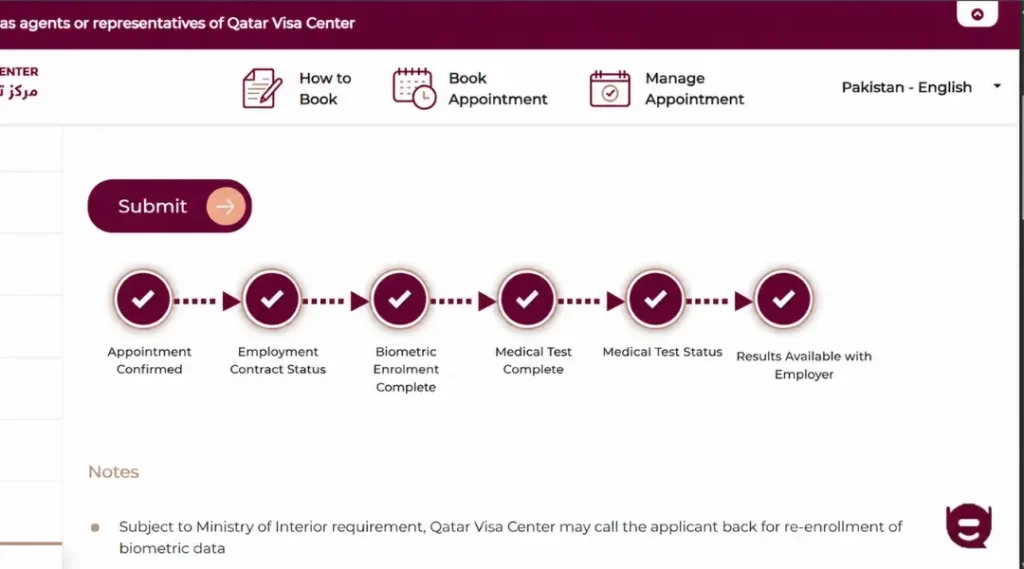
Review your progress through the six-stage tracker that appears on the results screen: Appointment Confirmed, Employment Contract Status, Biometric Enrolment Complete, Medical Test Complete, Medical Test Status, and Results Available with Employer. Each stage shows a checkmark once completed, so you can see exactly how far your application has progressed rather than a single generic “processing” label. A note on the same page also flags that, depending on Ministry of Interior requirements, QVC may contact you directly if your biometric data needs to be re-enrolled, so it’s worth keeping your registered phone number reachable while your application is in progress. For what a Medical Test result like Fit, Unfit, or Temporarily Unfit actually means, see our QVC medical report guide.
Checking Visa Cancellation Status
If you’re specifically trying to confirm how to check visa cancellation status in Qatar, for example if your sponsor initiated a cancellation or you’re verifying your own exit process, the same MOI “Visa Inquiry & Printing” section reflects cancellation status alongside approval status, a cancelled visa will show clearly rather than remaining listed as active.
What to Do Once Your Visa Status Is Confirmed
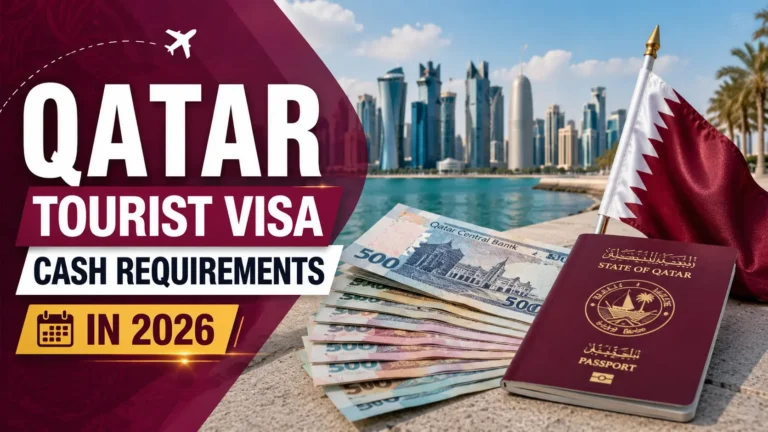
If your Qatar visa check comes back approved and you’re travelling as a tourist, it’s worth reviewing what immigration may ask for on arrival, particularly around funds and accommodation proof, our guide to Qatar’s tourist visa cash covers exactly what to have ready before you land.
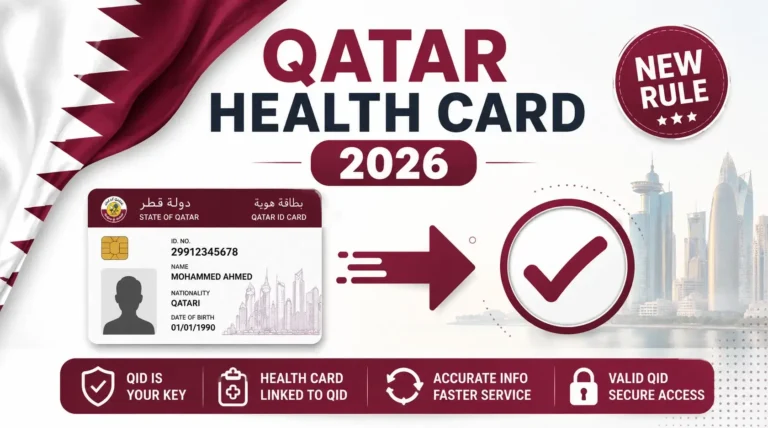
If your approved visa is a residence or work visa rather than a short tourist entry, your next administrative step inside Qatar is typically registering for a Qatar health card through PHCC, which is required before you can book most medical appointments as a resident. For those already holding a card, it’s worth knowing how to run a health card expiry check online so renewal doesn’t catch you off guard later. his applies equally to family members approved under a Qatar Family Residence Visa, who also register for health card access once their QID is issued.
For a broader look at Qatar’s visa categories, eligibility, and entry rules beyond just status tracking, our complete Qatar visa guide walks through the full system from first principles.
Frequently Asked Questions
How do I check my Qatar visa status online?
Visit the MOI’s official Visa Inquiry & Printing page, enter your passport number and nationality, complete the CAPTCHA, and submit. Your status appears immediately as Approved, Under Process, Rejected, or Ready for Printing.
How to check Qatar visa status online by passport number without a visa number?
The MOI portal accepts a passport number on its own for most inquiries, a visa number can help narrow the match faster, but isn’t mandatory if your passport details are entered correctly and your nationality is selected accurately.
Why does my Qatar visa check show “not found” even though I applied?
The most common cause is selecting the wrong nationality from the dropdown, followed by a mistyped passport number. If both are correct and the issue persists, your application may not yet be logged in the system, particularly if it was submitted very recently.
Which countries can use the Qatar Visa Center to check status instead of MOI?
Bangladesh, India, Nepal, Pakistan, the Philippines, and Sri Lanka. Applicants from these countries applying for residence visas can track their application through QVC, which shows more detailed processing stages than the standard MOI lookup.
Can I print my Qatar visa directly after checking its status?
Yes, if your status shows as “Approved” or “Ready to Print” on the MOI portal, you can download and print it directly from the same page, no office visit or separate request is needed.
Does checking my visa status online cost anything?
No. Both the MOI portal and the Qatar Visa Center offer status checking as a free service, regardless of your visa type or nationality.
Note: This guide reflects the official Qatar visa status verification process through the Ministry of Interior and Qatar Visa Center, based on the Ministry’s own e-services platform and confirmed by Gulf News reporting on the two official tracking methods. Processing steps can be updated by MOI without advance notice, always confirm your specific status through the official MOI visa services portal.



2 Comments