Oman Visa Check 2026: How to Check Status by Passport Number
Before you book a flight or wait on an agent’s update, checking your Oman visa check status directly through the Royal Oman Police takes under two minutes and costs nothing. This guide covers how to check visa status in Oman, sometimes searched as oman visa status check or a general visa check for Oman, why there are actually two different official systems depending on how you applied, and what each result means.
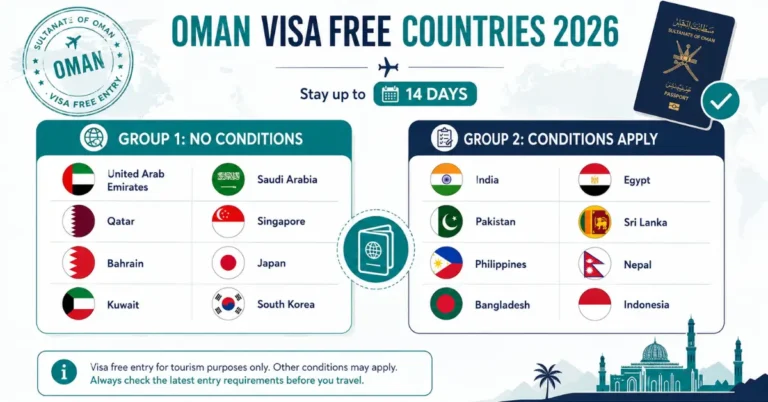
If you’re still working out which Oman visa category applies to you before you get to the status-check stage, our Oman visa guide covers the full entry system, including the new free 14-day tourist visa introduced this year.
Two Official Systems, Depending on How You Applied
This is where most confusion happens, and it’s the core of how to check Oman visa status with passport number correctly the first time. The Royal Oman Police runs two separate tools for oman visa tracking, and using the wrong one gets you nowhere.
- rop.gov.om Visa Application Status Enquiry: the older, general lookup for a sultanate of oman entry visa check, no account or login needed. You just enter your details directly and get a result.
- evisa.rop.gov.om (Track Your Application): the newer eVisa platform’s own oman e visa check page, which requires you to log in to your eVisa account before it shows anything.
If you applied through the newer eVisa system and created an account during that process, use the login method. If your visa was processed through an employer, sponsor, or the older application route, the no-login enquiry page is your option.
How to Check Oman Visa Status by Passport Number (No Login, Old System)
Go to the official ROP website at www.rop.gov.om.
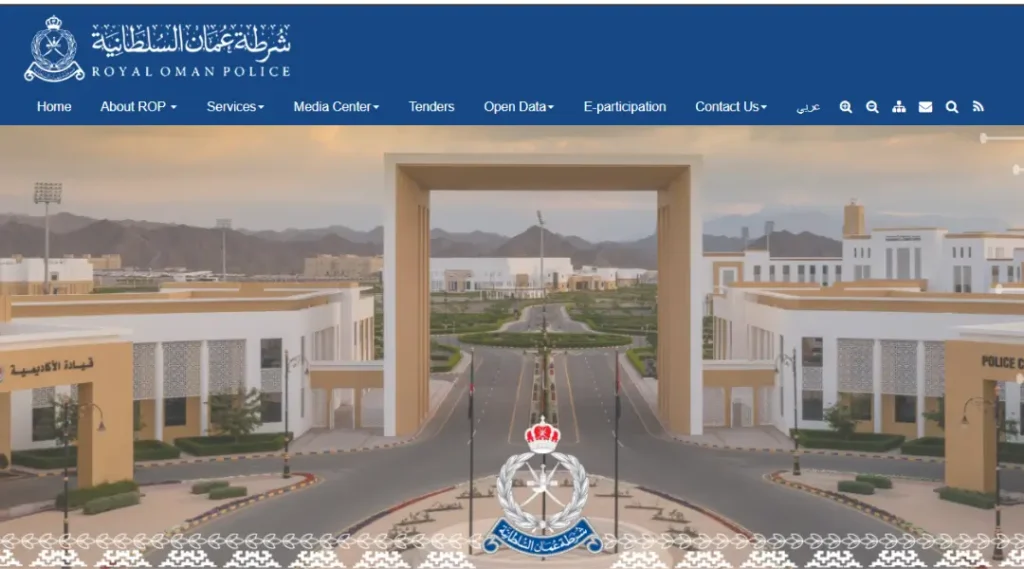
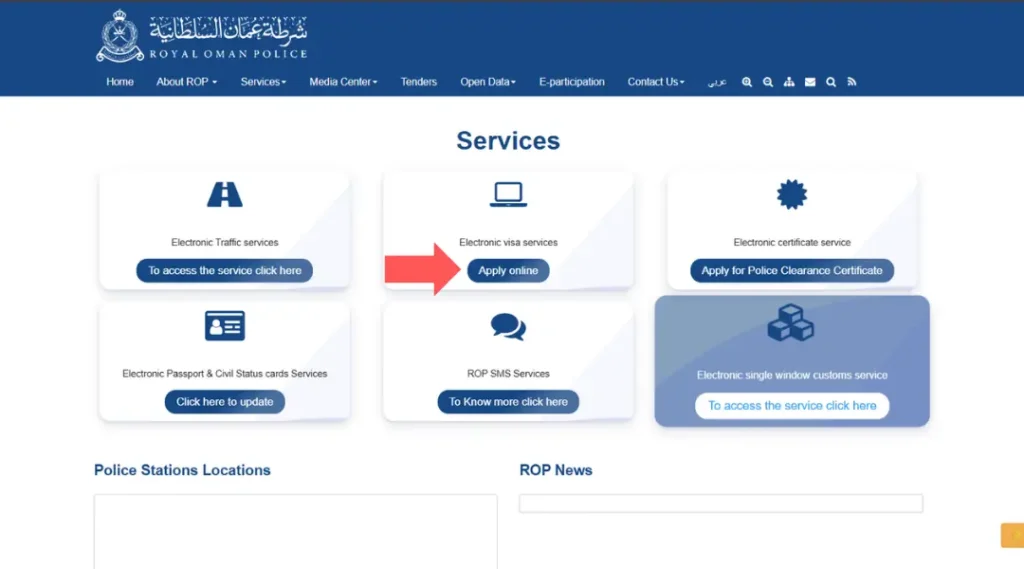
Click “Services” in the top navigation, or scroll down to the Services section on the homepage. Under the “Electronic visa services” card, click “Apply online.”
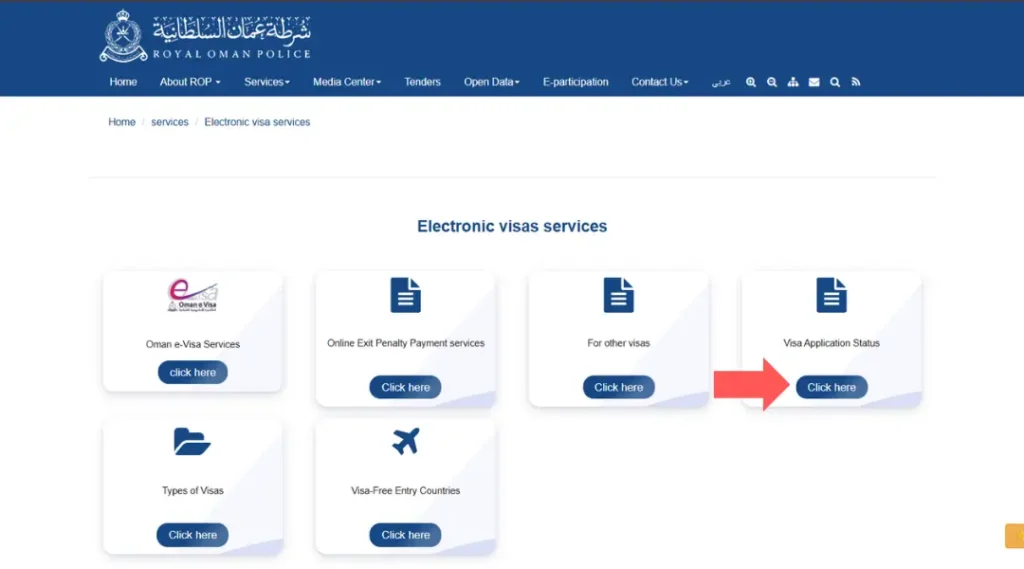
On the Electronic Visas Services page, you’ll see six options: Oman e-Visa Services, Online Exit Penalty Payment, For Other Visas, Visa Application Status, Types of Visas, and Visa-Free Entry Countries. Click “Click here” under the “Visa Application Status” card.
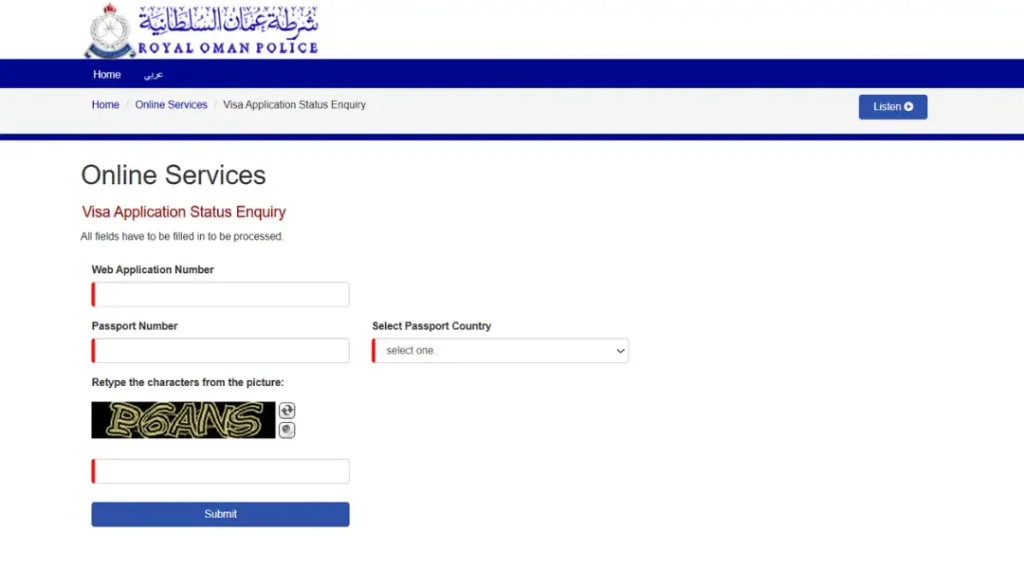
This opens the Visa Application Status Enquiry form. Fill in all four required fields (marked with a red bar, all mandatory):
- Web Application Number, found on your original application receipt or confirmation
- Passport Number, exactly as printed, no extra spaces
- Select Passport Country from the dropdown list
Retype the characters from the picture (CAPTCHA), you can click the refresh icon for a new code or the speaker icon to hear it read aloud
Click “Submit” to view your visa’s current status.
How to Track Your Oman eVisa Application (Two Ways, Login Optional)
The evisa.rop.gov.om system actually offers two separate routes to check your status, and you don’t necessarily need to log in for either:
Option A: Direct Tracking
Go to evisa.rop.gov.om and click “Login” in the top navigation.
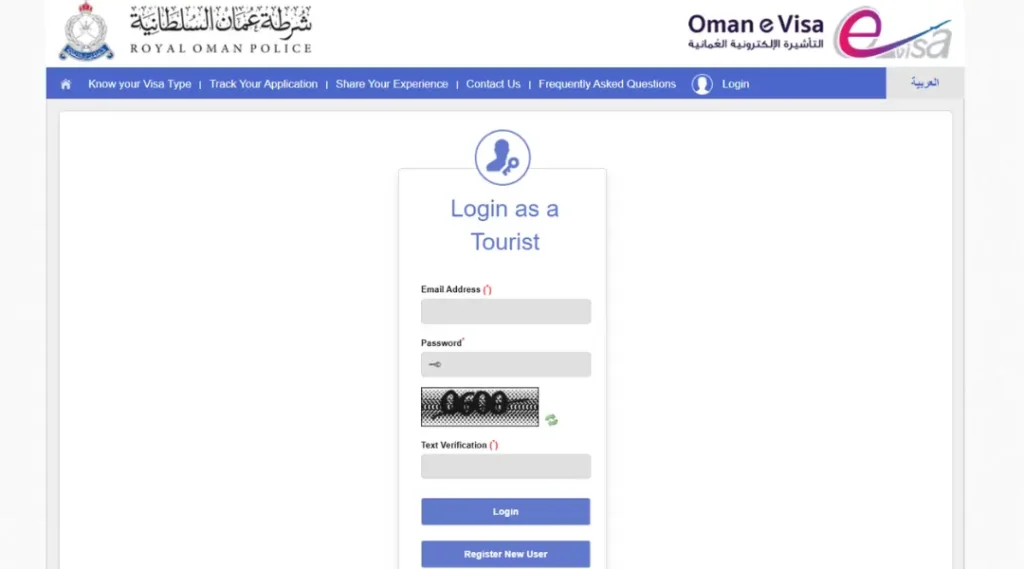
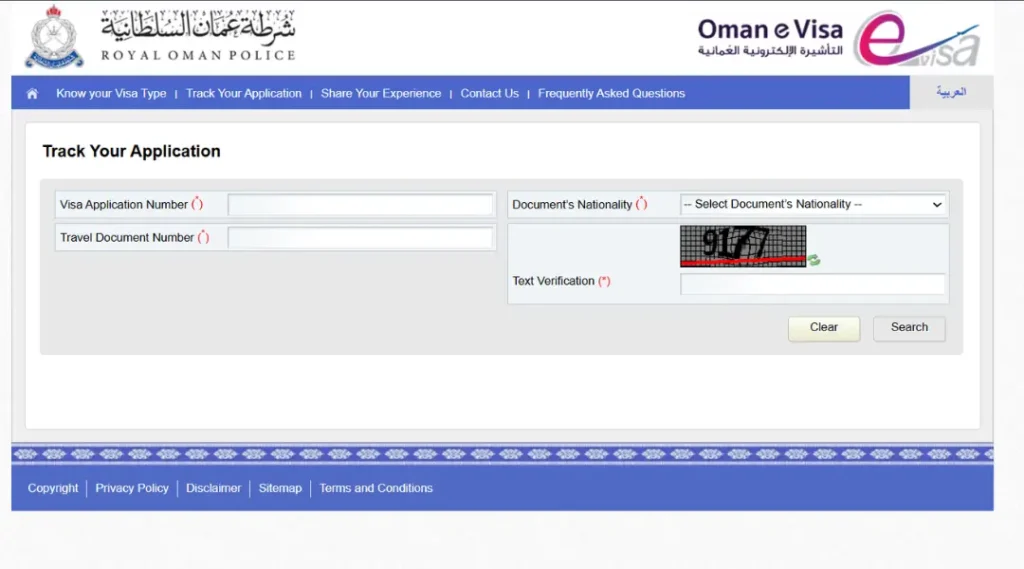
Click “Track Your Application” in the top navigation menu, this option sits separately from “Login” and doesn’t require an account.
Enter your Visa Application Number and your Travel Document Number (your passport number) in the fields on the left.
- Select your Document’s Nationality from the dropdown on the right.
- Enter the Text Verification (CAPTCHA) code shown in the image, using the refresh icon if it’s unclear.
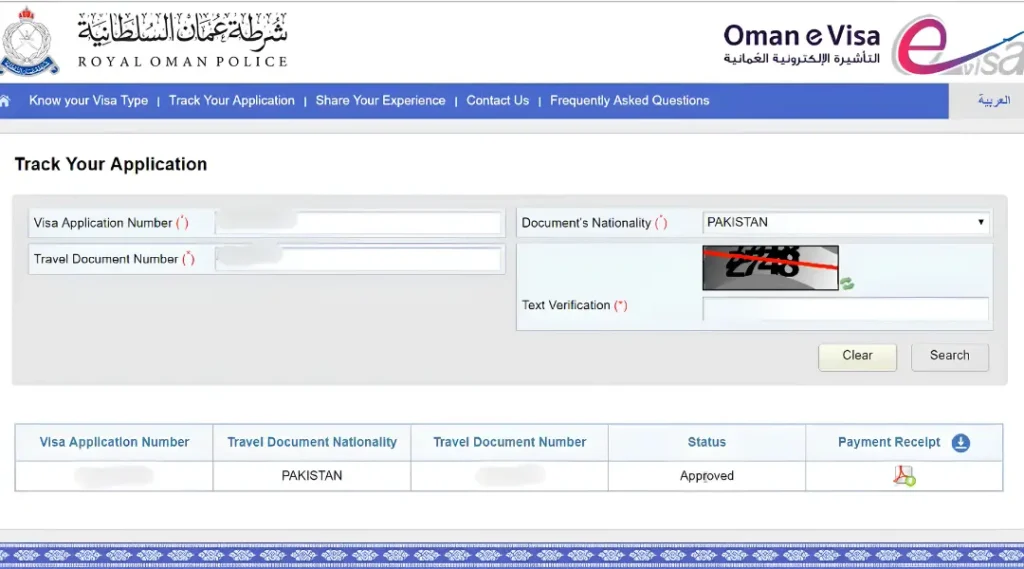
Click “Search.” Your result appears directly below the form in a table showing your Visa Application Number, Travel Document Nationality, Travel Document Number, Status (for example, “Approved”), and a downloadable Payment Receipt if applicable.
Option B: Through Your Account Dashboard (Login Required)
- Go to evisa.rop.gov.om and click “Login” in the top navigation.
- Select “Login as a Tourist” and enter your registered Email Address and Password, along with the CAPTCHA verification shown, then click “Login.” If you don’t have an account, use “Register New User” instead.
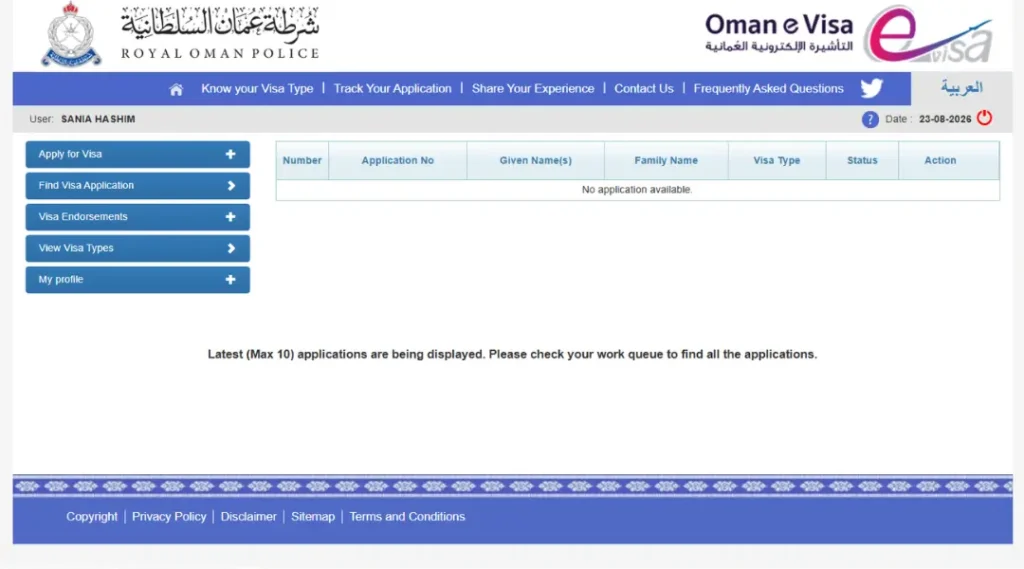
- Once logged in, your dashboard shows your username and the date at the top, along with a left-hand menu: Apply for Visa, Find Visa Application, Visa Endorsements, View Visa Types, and My Profile.
- Click “Find Visa Application” from the left menu. This displays a table listing every application tied to your account, showing the Application Number, Given Name(s), Family Name, Visa Type, Status, and an Action column, up to the most recent 10 applications.
- Locate your application in the list and check its Status directly, or use the Action column for further details if available.
Oman Entry Visa Check for Sponsored and Employer-Filed Visas
If your visa was arranged by an employer, sponsor, or a PRO (public relations officer registered with the ROP system) rather than something you applied for directly, the no-login enquiry method is generally what applies to you. Ask whoever filed the application for your Web Application Number if you don’t already have it, this is the one detail most people are missing when a check returns nothing.
What Your Oman Visa Status Result Means
If “No Record Found” persists after trying both the enquiry page and the eVisa login, contacting the ROP directly, rather than a third-party agent, is the more reliable next step.
Common Mistakes That Cause a Failed Check
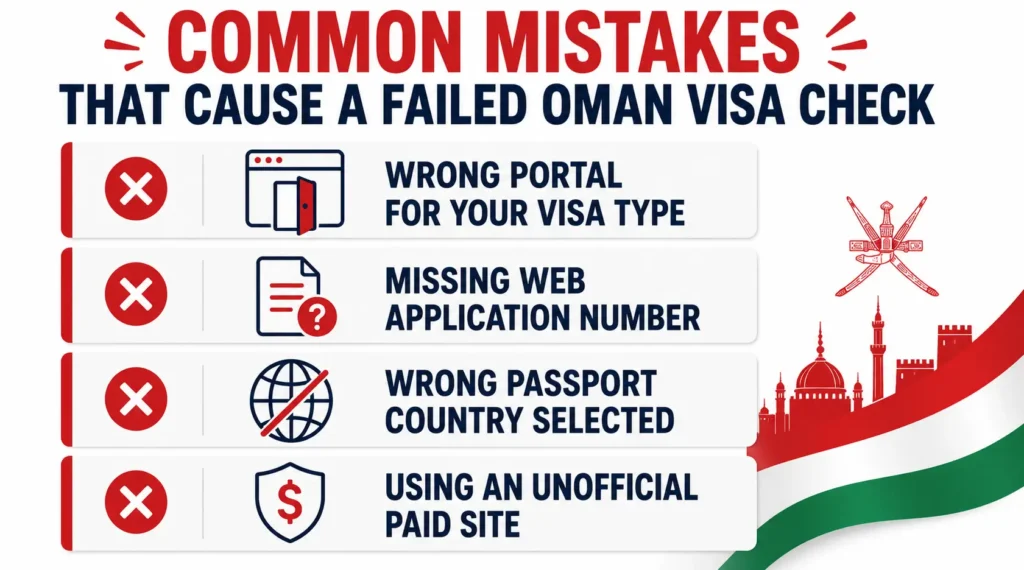
- Using the wrong portal for your visa type. This alone accounts for most failed lookups, an eVisa applicant trying the no-login enquiry page (or vice versa) simply won’t find a match.
- Missing the Web Application Number. Without it, the no-login enquiry page can’t return a result, this number has to come from your original application paperwork.
- Selecting the wrong passport country. A mismatch here is a common, easily overlooked cause of “No Record Found” on an otherwise valid visa.
- Checking through an unofficial site. Several lookalike sites charge a fee for what the ROP itself provides free, any payment request for a basic status check is a sign to leave and go directly to rop.gov.om or evisa.rop.gov.om instead.
Frequently Asked Questions
How can I check my Oman visa status online?
Use rop.gov.om’s Visa Application Status Enquiry page if you don’t need to log in, entering your Web Application Number, passport number, and passport country. If you applied through the newer eVisa platform, log in at evisa.rop.gov.om instead and use Track Your Application. This applies whether you’re in Muscat or applying from abroad, a muscat oman visa check and a check from anywhere else runs through the same system.
How do I check Oman visa status by passport number specifically?
Your passport number is one of the required fields on the rop.gov.om enquiry page, but you’ll also need your Web Application Number alongside it, a passport number alone isn’t enough to return a result on that system. This is the standard oman visa status check by passport number process for most applicants.
What does “No Record Found” mean when I check my Oman visa?
Usually a mismatched detail or checking the wrong of the two ROP systems. If your details are definitely correct and neither portal shows your application, contact the ROP directly rather than assuming something is wrong with your visa.
Is there a fee to check Oman visa status?
No. Both official ROP systems are free. Any third-party site charging for this basic lookup isn’t an official government channel.
Can I check my Oman visa status without a Web Application Number?
Not through the standard no-login enquiry page, that number is required. If you don’t have it, contact whoever filed your application, an employer, sponsor, or PRO, to retrieve it, or check directly with the ROP.
Is checking my sultanate of oman visa verification any different for residents versus tourists?
No, the same two systems, rop.gov.om for no-login checks and evisa.rop.gov.om for login-based eVisa tracking, cover tourist, family, business, and most employment visa categories alike. For a general oman visa verification online, start with whichever system matches how your visa was originally filed.
How long does it take for an Oman eVisa to show as approved?
Processing generally takes a few working days for most standard categories, though this varies by visa type and season. If your status hasn’t updated after a reasonable wait, checking directly through the correct ROP portal is more reliable than relying on secondhand updates.
Note: For the current status of your application, use the official ROP Visa Application Status Enquiry or, for eVisa applications, track your application at evisa.rop.gov.om.